Track Player
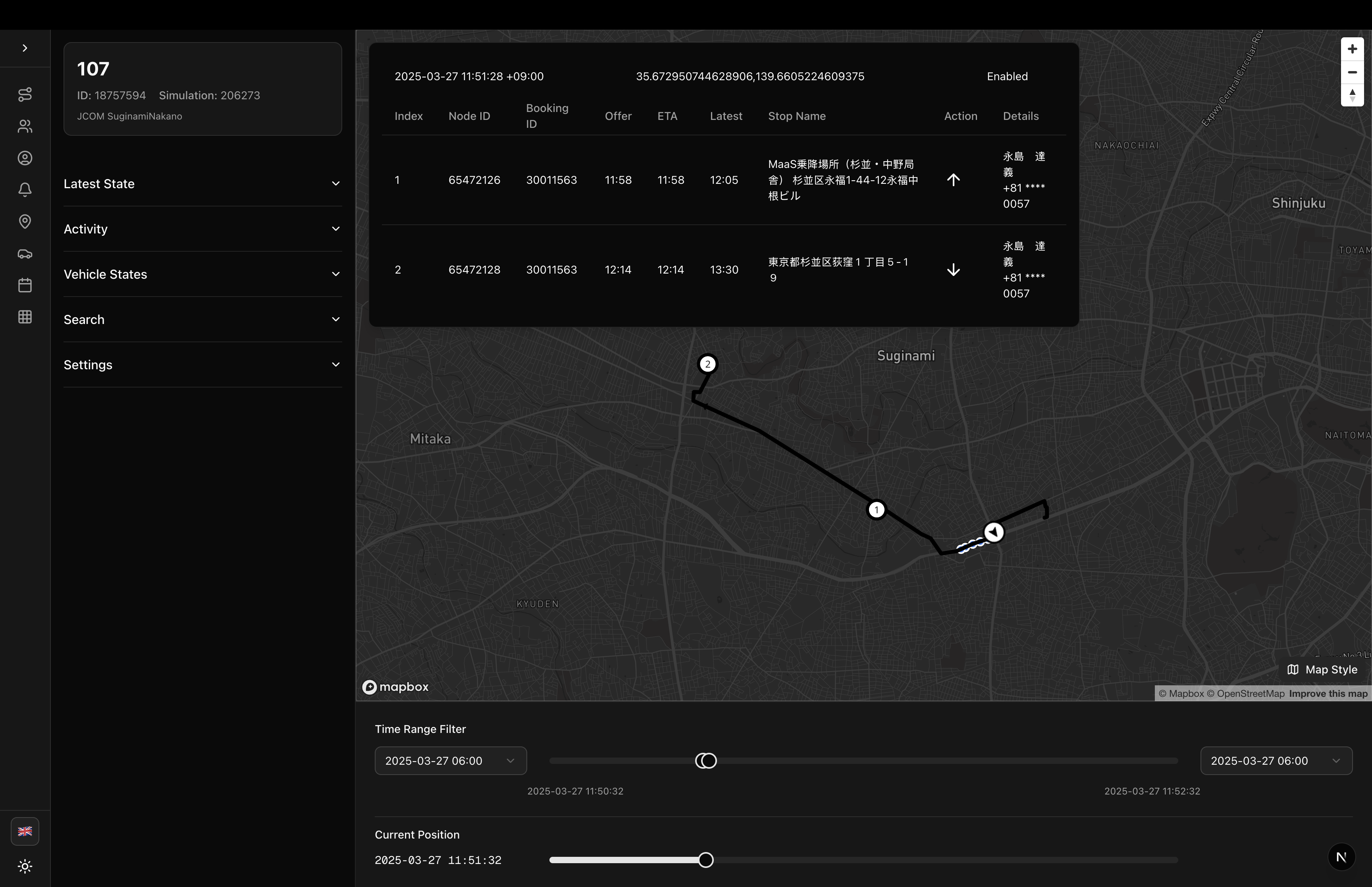
GPS track visualization and playback component for vehicles
Track Player
A comprehensive component for visualizing and replaying vehicle GPS tracks with route information, node details, and timeline controls.
Usage
import { TrackPlayer } from '@/components/sgerp/track-player';

function MyComponent() {
  return (
    <TrackPlayer
      vehicleId={123}
      mapboxToken={process.env.NEXT_PUBLIC_MAPBOX_TOKEN || ''}
    />
  );
}
Features
- GPS Track Visualization: Display vehicle GPS points and track line on map
- Route Polyline: Show assigned route with direction arrows and numbered stops
- Vehicle Position Icon: Current position marker with bearing rotation
- Timeline Controls: Scrub through time with dual sliders (range + position)
- Map Style Selector: Switch between Light, Dark, Satellite, Street, and Outdoors
- Vehicle States List: Browse all vehicle states with timestamp and node count
- Node Details Panel: View assigned nodes with ETA, offers, and booking information
- Activity Timeline: See completed node services in chronological order
- Search: Find vehicle states by node ID, booking ID, username, phone, or transit stop
- Timezone Support: All timestamps displayed in project timezone
- Dynamic GPS Track: Optional follow mode that shows ±1 minute window around current position
- Vehicle Time Range Filter: Optionally limit playback to vehicle's start/end times
Props
| Prop | Type | Required | Description |
|---|---|---|---|
vehicleId | number | Yes | The vehicle ID to display track for |
mapboxToken | string | Yes | Mapbox access token for map rendering |
Layer Z-Ordering
The map displays layers in the following order (bottom to top):
- GPS Track Line: Blue line connecting GPS points
- Vehicle Route: Black polyline with direction arrows and numbered stops
- GPS Track Points: Blue circles at each GPS coordinate
- Vehicle Position: Vehicle icon that rotates based on bearing
Settings
- Show GPS Track: Toggle GPS points and track line visibility
- Show Vehicle Route: Toggle assigned route polyline visibility
- GPS Track Follow: Enable dynamic time window that follows current position
- Use Vehicle Time Range: Filter timeline to vehicle's operational hours